RAG (with Vision Language Models)
Helix provides retrieval augmented generation (RAG) that works with both text documents and visual content. Documents are ingested into a vector database for semantic search, and at inference time the language model receives relevant context to answer questions accurately.
How RAG Works
When you add knowledge sources to an agent, Helix:
- Extracts content from PDFs, Word documents, PowerPoint, web pages, and images
- Chunks and embeds the content using vector embeddings
- Stores chunks in PostgreSQL with VectorChord for fast similarity search
- Queries using hybrid search (semantic + keyword matching)
- Injects relevant results into the LLM context
Agentic Vision RAG
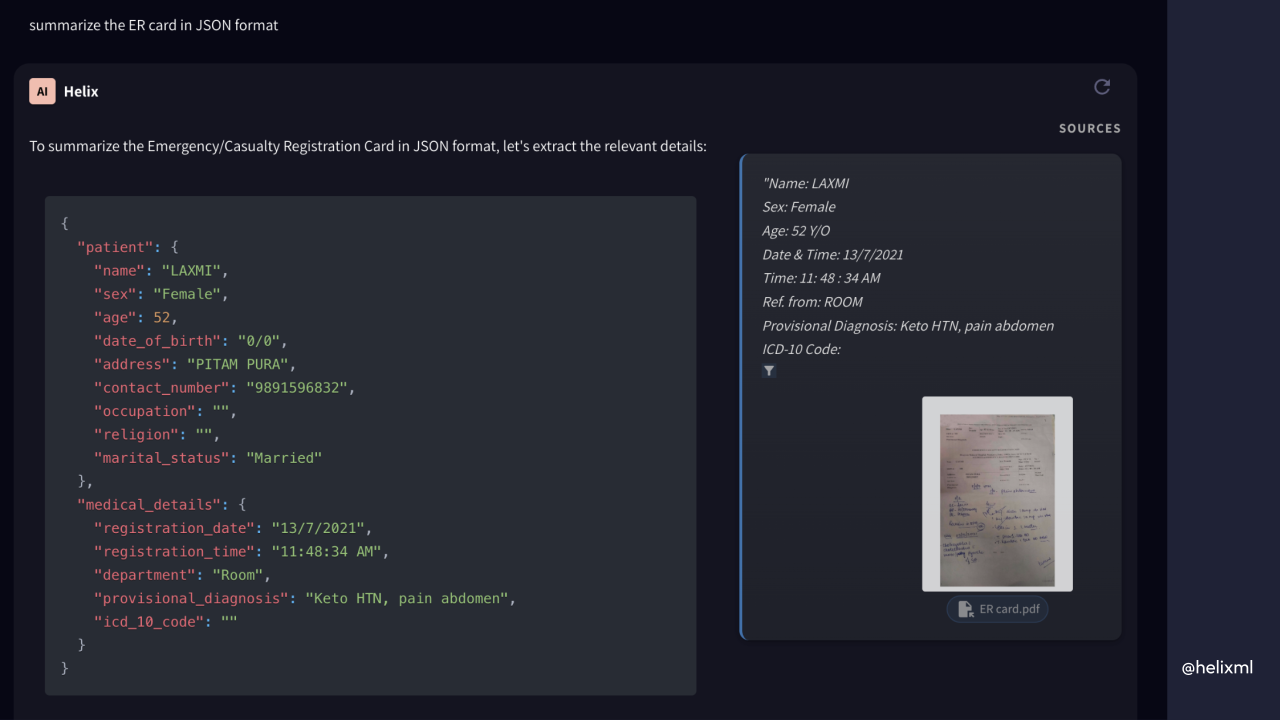
Vision RAG extends traditional text retrieval to handle screenshots, diagrams, technical drawings, and any visual content. When enabled, Helix uses vision language models (like Qwen2.5-VL) to understand and retrieve images based on natural language queries.
How Vision RAG Differs
| Aspect | Text RAG | Vision RAG |
|---|---|---|
| Content | Text extracted from documents | Images stored as base64 |
| Embeddings | Text embeddings | Multimodal vision embeddings |
| Queries | “What does the API return?” | “Show the architecture diagram” |
| Use Cases | Documentation, articles, code | Screenshots, diagrams, UI mockups |
Enabling Vision RAG
Vision RAG is enabled per knowledge source. When creating or editing a knowledge source, toggle the vision option to process images alongside text.
The system uses separate pipelines for text and vision content, but both support the same hybrid search combining semantic similarity with keyword matching.
Knowledge as Agent Tools
RAG sources connect to agents as tools. When you attach a knowledge source to an agent, it becomes a callable tool the LLM can invoke:
assistants:
- model: qwen3:8b
  knowledge:
  - name: product-docs
    source:
      web:
        urls:
        - https://docs.example.com/
The agent decides when to query the knowledge base based on the user’s question. Results are formatted with source attribution so the LLM can cite where information came from.
Configuring RAG Settings
Each knowledge source can configure:
- Distance Function: Cosine similarity or other metrics for measuring relevance
- Threshold: Minimum relevance score to include results (tune for your content)
- Results Count: How many chunks to include in context
- Chunk Size: Characters per chunk (default 500)
- Chunk Overlap: Overlap between chunks to preserve context (default 50)
Supported Sources
Helix extracts content from:
- Documents: PDF, DOCX, PPTX, plain text
- Web: URLs with optional crawling
- Images: PNG, JPG, GIF, WebP (with vision RAG)
- Code: Source files with language-aware parsing